Figma to Webflow Handoff: A Checklist for B2B Marketing Teams

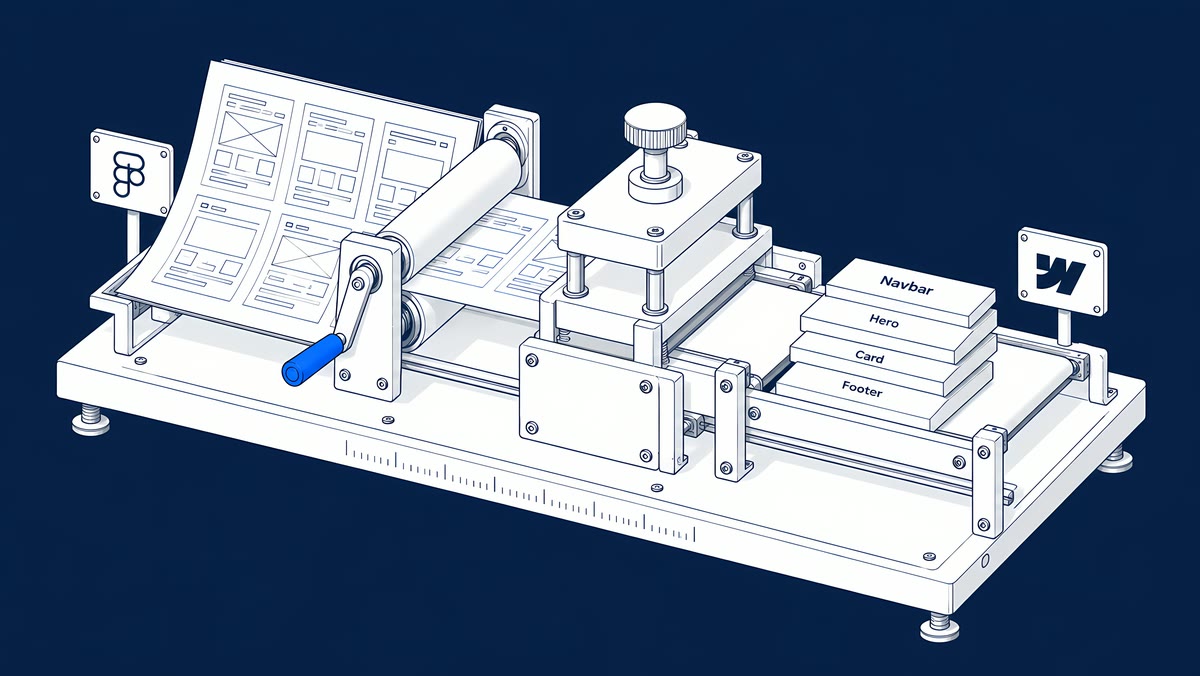
A good Figma to Webflow handoff gives the developer approved frames at the widths you care about, auto layout on every section, named components and variables, real content, a CMS field plan and written acceptance checks. When those decisions are made in Figma, the Webflow build is implementation. When they are not, the build quietly turns into a second design phase.
This checklist is for marketing teams and designers handing a finished Figma file to a Webflow developer, whether that is an in-house developer or an agency. It covers the file itself, the Figma to Webflow plugin, the CMS and how to sign off the build.
What should be in the Figma file before the build starts?
Before anyone opens Webflow, the file should answer the questions a developer would otherwise have to guess. Use this list:
- An approved version. Mark the frames that are signed off and name the person who answers design questions during the build.
- Desktop and mobile frames, plus a note on how sections behave at tablet width.
- Auto layout on every section and component, so spacing and stacking are defined rather than drawn.
- Components with variants for buttons, cards, navigation, forms and footers, including hover, focus and error states.
- Variables for colour, spacing and type, so they can become a style guide rather than one-off values.
- Real copy, or copy clearly marked as waiting for approval. Use the longest realistic headline, not placeholder text.
- Assets: exportable logos, icons and images with their intended crops, plus licensed font files.
- Links and forms: where each button goes, which fields each form has and where submissions must arrive.
- Motion notes: what triggers each animation, how long it runs and what happens on small screens.
How should you prepare Figma for the Figma to Webflow plugin?
Webflow's Figma to Webflow plugin and app can sync components, variables and styles into a Webflow site. It works best when the file is prepared for it:
- Auto layout is required. Layers must have auto layout applied to sync.
- Layer names become class names. Every Figma layer name is converted to a class, so rename generic layers such as "Frame 427" before you sync.
- Upload custom fonts to Webflow first. Otherwise they are lost during sync.
- Sync in sections. For large pages, Webflow recommends syncing a few components or sections at a time rather than the whole page.
- Variables sync one collection and mode at a time, and you can set units and a base font size in the plugin settings.
- Some HTML tags are assigned from layer names. For example, a layer named "heading" becomes an H1, so check heading levels after import.
The plugin is a head start, not a finished site. Every synced section still needs a developer to check classes, heading order, responsive behaviour and CMS bindings. Plan for that review time in the build, and keep a short log of anything the plugin could not carry over, such as interactions or embedded media, so nothing is missed at sign-off.
How do Figma components, variables and styles map to Webflow?
| In Figma | In Webflow | Decide before the build |
|---|---|---|
| Variables (colour, spacing, type) | Variables and a style guide page | Names, units and which values editors may change |
| Text and effect styles | Classes | One naming system, so imported classes do not duplicate existing ones |
| Components and variants | Components with properties | Which parts editors can change per instance |
| Repeated cards (posts, case studies, people) | CMS Collection list and template | Which fields each card needs, and what happens when one is empty |
| Prototype interactions | Webflow interactions | Trigger, duration and the reduced-motion behaviour |
Which content and CMS decisions belong in the handoff?
Anything that repeats probably belongs in the CMS, so decide it in the handoff rather than during the build. For each repeating item, list the fields, mark which are required, and show the longest and shortest realistic example. A case-study card, for example, needs a title, summary, image with alt text, related service, and its own SEO title and description.
Also decide who will edit what after launch. Webflow's content editor role lets people update copy, media and CMS content without changing the design, and designers can lock specific elements. Knowing that in advance changes how components are built.
Why do Figma to Webflow handoffs slip?
Mostly because design, content and engineering decisions are made in different places at different times. According to Webflow's The 2026 State of the Website (with Vanson Bourne; a June–July 2025 survey of Director-level and above marketing and technical leaders in the US, Canada and the UK), “91% of technical leaders report there is some level of friction today within their organization between technical and non-technical teams when making changes to the website.” The same report found that “46% of organizations struggle to always deliver their projects on time. 53% struggle to keep their projects within budget.”
Webflow's CMO puts the underlying problem plainly in Your job hasn't changed. The world has. (Webflow, August 2026): “A decade of technology investment produced platforms that assumed a developer or a designer would make the change, so a ten-minute change waits behind a two-week sprint.” A handoff that plans for editors from the start is how you avoid rebuilding that queue on a new platform.
How do you accept a Figma to Webflow build?
Review the staging site, not screenshots. Agree the checks before the build starts so sign-off is a test, not a debate:
| Check | How to test it | Passes when |
|---|---|---|
| Visual match | Compare staging with the approved frames at the agreed widths, then resize between them | Type, spacing, colour and layout match, with any differences written down and approved |
| Responsive behaviour | Open each template on a real phone and a tablet | Nothing overflows, overlaps or hides content |
| Long and short content | Load the longest headline and an item with optional fields empty | Layouts hold and empty fields leave no gaps |
| Keyboard and focus | Tab through navigation, menus and forms | Every control is reachable with a visible focus state |
| Forms | Submit test entries and trigger each error state | Entries reach their real destination; errors are clear |
| Headings and alt text | Run Webflow's Audit panel, then check components and CMS images by hand | No skipped heading levels or missing alt text |
| Editor task | Ask a marketer to draft, preview and publish one CMS item with their own role | They finish it without developer help |
The Audit panel does not check inside components or CMS-bound images, so those need a manual pass. Close the handoff when these checks pass, the client has the access it needs, and any remaining item has an owner and a date.
How ActiveSet does it
ActiveSet is a Webflow Premium Partner based in Bengaluru, India. Our usual order is a discovery questionnaire and call, stylescapes, Figma design, the Webflow build, a Markup.io review on staging, and launch. When a client brings its own designs, we start at the build step.
We build on Finsweet Client-First, with the style guide set up first and reusable components. We built heartfocus.ai in Webflow from Figma files supplied by HeartFocus's design agency, and we rebuilt privado.ai from Privado's in-house designs in 2022. In both cases the site sits in the client's own Webflow workspace, and handover includes an editor guide or recorded walkthroughs.
If you have an approved Figma file, see Figma to Webflow development. Send us the file with your page list and CMS needs.
Frequently Asked Questions
Partly. The Figma to Webflow plugin syncs components, variables and text and effect styles, and layers must use auto layout. A developer still checks classes, heading levels, responsive behaviour and CMS bindings after import.
Yes. The plugin converts every Figma layer name into a Webflow class, and some names set HTML tags. Clean, consistent layer names give you a cleaner class system.
Agree it in writing before the build: correct type, spacing, colour, imagery and layout at named review widths, sensible behaviour between them, and documented exceptions for real content and accessibility.
It should be you. Ask for the site to be built in, or transferred to, your own Webflow workspace, with an editor guide or walkthrough for your team.


