Webflow Maintenance Checklist: What Webflow Handles and What Your Team Owns

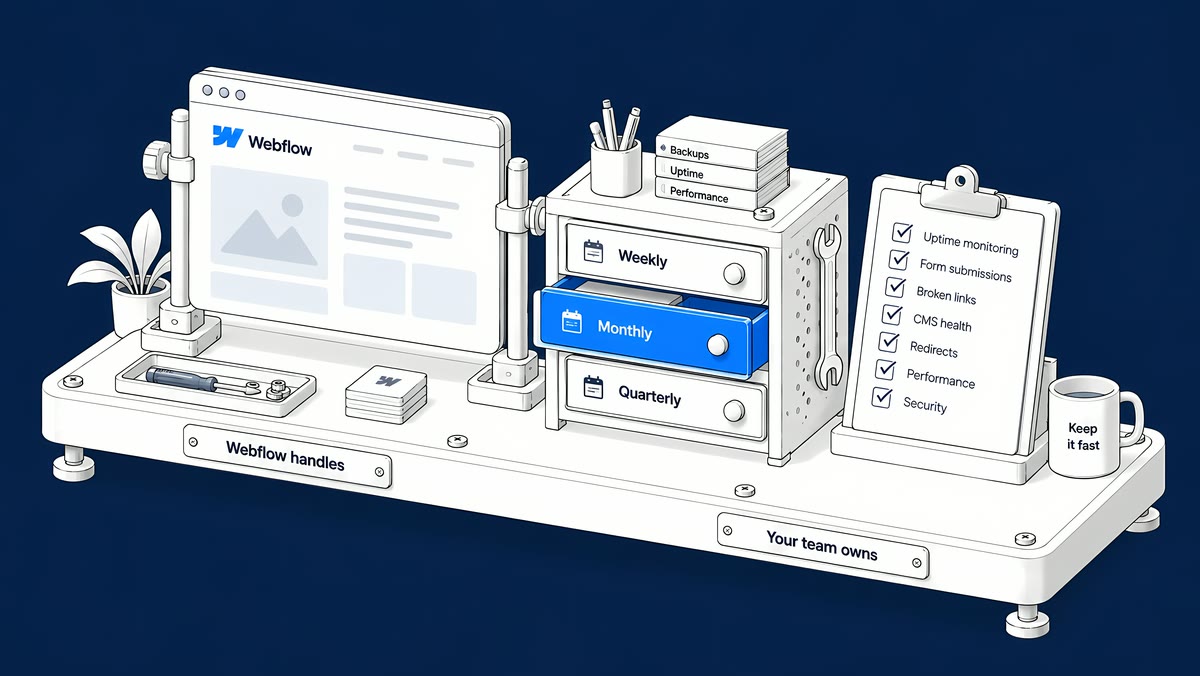
Webflow maintenance is the work that sits on top of the platform. On a paid Site plan, Webflow runs the hosting, platform security patches, SSL renewal and automatic backups, while your team owns everything you build and publish: page and CMS accuracy, forms and integrations, custom code, SEO settings, access and restore points. The checklist below splits that work by week, month and quarter.
This guide is for marketing and web teams that already run a Webflow site, or are about to take one over from an agency. Every platform fact links to Webflow's own documentation.
What does Webflow handle on a paid Site plan?
Webflow is a hosted platform, so there are no plugins, themes or server packages for your team to update. According to Webflow's own pages:
- Hosting and delivery. Sites are served through a global CDN with built-in DDoS protection, as described on Webflow's hosting page.
- SSL/TLS. Every Site plan includes free SSL/TLS certificates that renew automatically.
- Platform security. Webflow applies patches and platform updates for you and reports SOC 2 Type II compliance and ISO 27001 certification on its security page.
- Backups. Webflow creates backups as you work. Paid Site plans keep unlimited backups, and a restore point is created on every 50th auto-save (Save and restore backups).
- Support for the platform itself. Webflow support covers core features, hosting, performance and uptime problems.
That removes a whole category of upkeep. For comparison, Webflow's Navigating the WordPress to Webflow migration (June 2025) notes that on WordPress, “It’s recommended to update plugins once a month — two or three times a month for websites with high traffic or critical plugins.” On Webflow that line disappears from your list. The rest of the list does not.
What does your team still own?
Webflow's Customer Support Policy is clear about the boundary: custom code, DNS, SEO and third-party integrations are outside its support scope, and the customer is responsible for implementing and maintaining them. In practice the split looks like this:
| Area | Webflow handles | Your team owns |
|---|---|---|
| Security | Platform patches and updates | Who has access, two-factor sign-in, and every script or tool you add |
| Hosting and domain | Managed hosting, CDN, SSL renewal | Your domain registrar and DNS records |
| Backups | Automatic backups and restore points | Saving a named restore point before big changes, and checking the site after a restore |
| Content and CMS | The Designer, CMS and editing tools | The accuracy of every page and CMS item, including offers, team pages and legal text |
| SEO | SEO settings, an auto-generated sitemap when it is turned on | Titles, descriptions, headings, redirects, structured data and Search Console |
| Forms | Storing submissions, sending notifications, spam filtering | Recipients, bot blocking, custom form actions and testing each important form |
| Integrations and custom code | Custom code fields and app settings | Writing, testing and maintaining the code and the connections |
Why does Webflow maintenance still take time?
Because the volume of website work keeps growing even when the platform upkeep shrinks. According to Webflow's The 2026 State of the Website (with Vanson Bourne; a June–July 2025 survey of Director-level and above marketing and technical leaders in the US, Canada and the UK), “92% of organizations say that requests for website updates are growing in size and complexity, and 95% of organizations report they are receiving more web project requests overall.”
The same report found that “93% of marketing leaders report they are at least somewhat reliant on website developers, agencies, and/or expertise outside of their department.” So the practical question is not whether someone maintains the site, but whether the work is written down, scheduled and checked.
What should you check every week, month and quarter?
Use this as a starting schedule. Increase the frequency around campaigns, launches and big integration changes.
| When | Check | Evidence that it passed |
|---|---|---|
| Before every publish | Review changed pages, components and CMS templates on the staging site | List of pages reviewed, reviewer name, resolved comments |
| After every publish | Open each changed live URL; test navigation, forms and downloads | Live URLs with a pass or fail note |
| Weekly | Submit a labelled test entry through each important form | The entry reaches its destination and the success message appears |
| Weekly | Review requested content changes, expired offers and broken links | A prioritised update list with an owner per item |
| Monthly | Review Search Console for new indexing issues and the pages that earn clicks | Dated notes with the affected URLs and next actions |
| Monthly | Re-test key templates on mobile and repeat speed measurements under the same conditions | Comparable results with device, URL and date |
| Quarterly | Review workspace access, site roles, third-party scripts and integrations | An updated ownership list, with old accounts removed |
| Quarterly | Check that structured data, titles and descriptions still match the visible page | A short log of what changed and why |
What should you do before a large change?
Save a restore point first, and know who can use it. Only Site managers can access backups, according to Webflow's site roles and permissions. To save one manually, press Command + Shift + S on a Mac (Control + Shift + S on Windows) once the toolbar shows that changes are saved.
Then plan for what a restore touches. Webflow's backup documentation lists several side effects:
- reCAPTCHA settings are refreshed, so the keys must be added again for forms to keep working;
- bot protection is turned off and has to be switched back on;
- Collection items that were scheduled to publish are set to queue to publish, and go live at your next publish.
Add those three checks to your post-restore list so a recovery does not quietly break your forms.
How do you keep Webflow forms delivering?
Forms are where a maintenance gap costs you leads, so test the whole path, not just the success message. Webflow's guide to form notification emails gives the main failure points:
- Recipients. If the notification field is empty or has a typo, nothing is delivered. Someone clicking the unsubscribe link in a notification can also blank it.
- Custom form actions. If a form sends submissions to a third-party service, Webflow does not send its notification emails. Check that service instead.
- Spam protection. Spam filtering is on by default for new sites; bot blocking with Cloudflare Turnstile is a separate setting worth turning on.
- Role-based addresses. Addresses such as info@ are more likely to be filtered as spam than a named address.
Use clearly labelled test data, and make sure test entries do not trigger real sales follow-up in your CRM.
How should you choose who maintains your Webflow site?
Ask a prospective maintainer to walk you through one realistic request: a campaign form stops delivering after a new script is added. A useful answer covers how they find the cause, how they check the dependencies, how they recover, and how they prove the form works again.
Then ask for specifics:
- Ownership: who takes requests, who builds, and who approves a publish?
- Change control: how are staging review, approval and rollback recorded?
- Scope: which integrations and custom code can they maintain, and which need another vendor?
- Reporting: can they show a redacted change log with tests and open issues?
- Handover: will your team keep its own access, documentation and a clear way to move support elsewhere?
How ActiveSet does it
ActiveSet is a Webflow Premium Partner based in Bengaluru, India. The sites we look after are built in, or transferred to, the client's own Webflow workspace, so the client keeps ownership and access. Handover includes editor guides or short recorded walkthroughs, and ongoing work is tracked in ClickUp and a shared Slack channel.
We build on Finsweet Client-First with the style guide set up first and reusable components, which makes later changes easier for more than one developer to pick up. Two examples: we have been Privado's Webflow development partner since May 2022, including ongoing technical SEO work, and we have delivered updates to HeartFocus's site since we launched it in May 2024.
If you want help with the layer your team owns, see Webflow maintenance. If recurring issues point to a wider search problem, add a technical SEO review.
Frequently Asked Questions
Yes, but less platform upkeep than a self-hosted site. Webflow handles hosting, platform patches, SSL renewal and backups on paid Site plans. Your team still maintains content accuracy, forms, integrations, custom code, SEO settings and access.
Yes. Webflow creates backups as you work, and paid Site plans keep unlimited backups. Webflow does not offer scheduled backups, so save a named restore point before any large change. Only Site managers can access backups.
Your team or the agency you appoint. Webflow's Customer Support Policy places custom code, DNS, SEO and third-party integrations outside its support scope.
Test each important form after every publish that touches it, and at least weekly around active campaigns. Check that the entry reaches its real destination, not only that the success message appears.


