How to Build a Redirect Map for a Webflow Migration

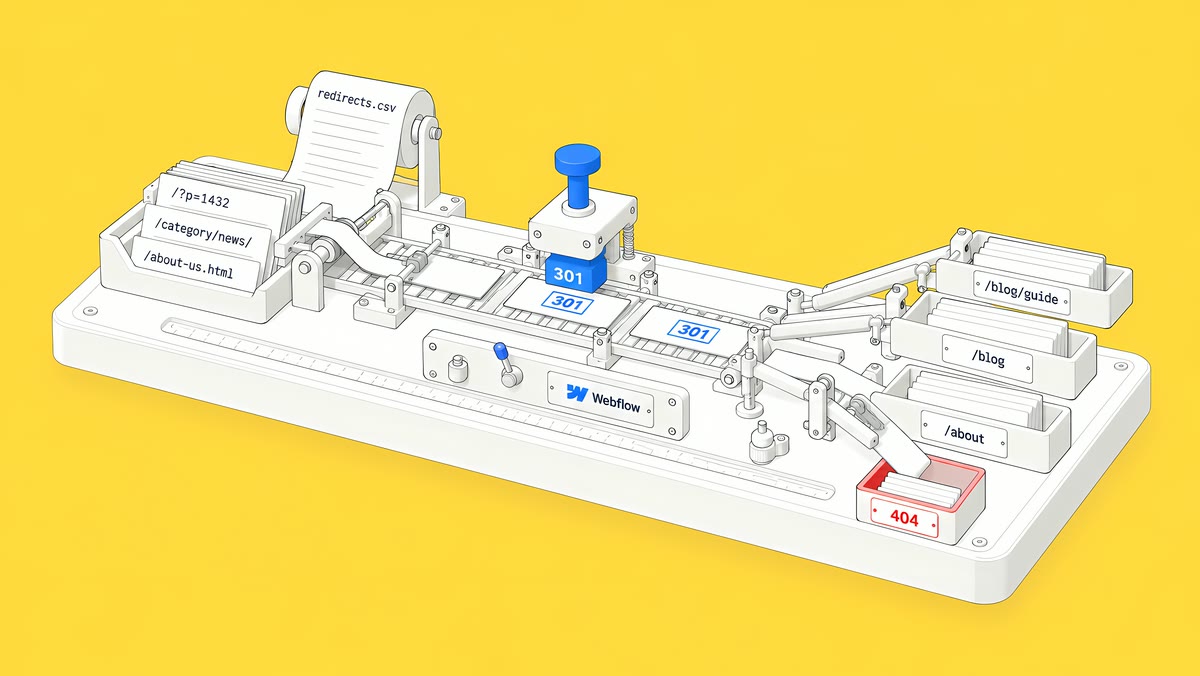
A redirect map is a two-column list that pairs every old URL on your current site with its new path on Webflow. Build it from a full crawl, your sitemap, Search Console and your most-linked pages, and map each changed URL one-to-one to its closest new page. Then export Webflow's existing redirects before importing the CSV, publish, test every row on the live domain and keep the redirects for at least a year.
This guide covers the redirect map only: the part of a migration that decides whether old links, bookmarks and search results still reach a real page. If you are moving from WordPress specifically, our WordPress to Webflow migration checklist covers the wider project.
Why does a Webflow migration need a redirect map?
Because any URL that changes and has no redirect returns a 404 to everyone who still uses it: searchers, people with bookmarks, and sites that link to you. Webflow's The website migration playbook (April 2025) is direct about it: “If your URL structures are set to change, plan to add 301 redirects to prevent broken links and avoid loss of SEO value.”
The same playbook names “four key areas where preparedness is key to the success of your migration: Design, Content, Deployment, and Integration.” The redirect map sits across content and deployment. It is also the part that is easiest to get wrong late, because it depends on every URL decision being final.
Google's guidance on site moves with URL changes says to expect rankings to fluctuate while Google recrawls a moved site. A clean redirect map does not remove that, but it gives search engines a clear path from every old address to its replacement.
Which URLs belong in the inventory?
Start wide, then trim. Pull URLs from every source, merge them and remove duplicates:
- A full crawl of the current site, with status code, title, canonical and template for each URL.
- The current XML sitemap, which can include pages the crawl misses.
- Search Console: the pages that earn clicks and impressions over the last few months.
- Analytics: landing pages from campaigns, email and referrals.
- Your most-linked pages from a backlink tool, because those links keep sending people to the old address.
- Files and media: PDFs and downloads that people share directly.
- Old campaign URLs printed in decks, ads or documents.
Record a baseline for the important pages at the same time: clicks, impressions and conversions. You will need it after launch to tell a real problem from normal movement.
How do you decide where each old URL goes?
Use a short set of rules and apply them to every row:
- Keep the slug if you can. A URL that does not change needs no redirect.
- Map one-to-one. Each old URL points to the single new page that best replaces it.
- Merged content goes to the closest relevant page, not to the homepage. A homepage redirect for unrelated content is a dead end with extra steps.
- No chains. If page A once redirected to B and B now moves to C, point A straight to C.
- Write down deliberate removals. If nothing on the new site replaces a page, record the decision rather than leaving it to chance.
- Cover every variant: trailing slashes, query-string versions you rely on, and localized paths.
That last point matters on Webflow. Its redirect documentation notes that 301 redirects are relative to the root domain and do not apply to localized slugs or subdirectories, so /old-url and /es/old-url need separate rules.
What does the Webflow redirect CSV look like?
Webflow imports a CSV with two columns: the old path and the redirect-to path, one row per redirect (Import/export 301 redirects). An illustrative example:
| Old path | Redirect to path |
|---|---|
| /services/design | /agency/web-design |
| /resources/guide | /resources/ebooks |
| /blog/category/news | /blog |
| /news/(.*) | /blog/%1 |
Before you import, know the rules:
- An import overwrites every existing redirect. Export the current redirects first, add your new rows to that file, then import the combined file.
- Invalid rows stop the import. Webflow emails you the original file with guidance on the errors.
- The file can be up to 16MB.
- Nothing works until you publish. Redirects take effect after the next site publish.
- A paid plan is needed. Adding 301 redirects requires a paid Site plan or a paid Workspace plan.
Redirects live in Site settings, under Publishing, then 301 redirects.
How do wildcard redirects and redirect order work in Webflow?
Wildcards use capture groups. An old path such as /resources/(.*) with a redirect-to path of /library/%1 moves a whole folder while keeping each page's slug. Webflow does not set a hard limit on total redirects, but it recommends 1,000 at most as best practice, because every rule adds to a file that browsers download, so use wildcards where the pattern allows.
Order matters. Webflow runs redirects in the order they were added, oldest first. Add specific rules before broader wildcard rules, or the wildcard will catch the URL first. Webflow's documentation lists the special characters that must be escaped with a % sign in old paths, including ? and =, and notes that a slash directly before a query string is removed before matching.
One more Webflow detail: to redirect a page that still exists on the new site, you must first delete it, save it as a draft or change its slug. Changing a slug in Page settings with the permanent-redirect box ticked creates the 301 for you.
How do you test redirects before and after launch?
Test twice: on staging against the map, then on the live domain after cutover.
| Test | Passes when |
|---|---|
| Every old URL in the map | Returns a single 301 to the intended page, which returns 200 |
| Chains and loops | No URL needs more than one hop |
| Top pages from Search Console | Each reaches its intended new page |
| Wildcard rules | A sample of URLs from each folder lands on the right page |
| Internal links | Navigation and body links point at new URLs directly, not through redirects |
| 404 report | New 404s are reviewed daily in the first week, then weekly |
After launch, submit the new sitemap in Search Console and compare the important pages with your baseline over complete, equal periods, not day by day.
Why do redirects matter for AI answers too?
AI answers cite specific URLs, and those links age. According to OtterlyAI's Dead Citations study (24 July 2026, vendor research), “Of 20,092,769 cited URLs checked, 80.7% return a live page and 19.3% do not, split across missing, unreachable, redirected, and server-error responses.” It adds: “The largest slice, 8.7%, is missing pages that return a 404 or 410.” If an answer engine still cites one of your old URLs, a correct redirect is what turns that citation into a visit.
How long should you keep redirects?
Google advises keeping redirects for as long as possible, generally at least a year. In practice, keep the full map in your repository or drive, and review it before you delete any rule.
How ActiveSet does it
ActiveSet is a Webflow Premium Partner based in Bengaluru, India. On a past rebuild from a client's Figma files, our Webflow work included a courses CMS migration, 301 mapping and a domain transition. Builds are reviewed on staging with Markup.io before launch, work is tracked in ClickUp and a shared Slack channel, and the finished site sits in the client's own Webflow workspace.
If you are planning a move, see Webflow website migration. For search work around the move, see Webflow SEO.
Frequently Asked Questions
Yes. Webflow supports capture groups such as /resources/(.*) redirected to /library/%1. Add specific redirects before broad wildcards, because Webflow runs redirects in the order they were added.
Yes. A new import overwrites all existing redirects. Export your current redirects first, add the new rows to that file, and import the combined file.
Webflow has no hard limit but recommends a maximum of 1,000 as best practice, because each rule adds to a file browsers download. Use wildcard rules where URL patterns allow.
Only when the homepage genuinely replaces them. Point each old URL to its closest relevant new page, and record any page you are removing on purpose.
Google advises keeping them for as long as possible, generally at least one year.


