Who Should Own Your Webflow Site, Workspace and Billing?


Webflow treats the workspace that holds a site as its owner. If your site sits in an agency's workspace, the agency's workspace owns it unless you have agreed otherwise, even if you pay for the plan. Decide the set-up before the project starts: your own workspace with the agency as a guest, or the agency's workspace with client billing and a written agreement on transfer. Then settle the domain registrar account, admin access, two-factor sign-in and a handover list.
This guide is for marketing leads who are about to hire a Webflow agency, or who have inherited a site an agency built. It explains Webflow's ownership rules in Webflow's own words, compares the usual set-ups, and ends with a readiness score you can run before signing.
Who owns a Webflow site by default?
The workspace it lives in. Webflow's Site ownership article opens with that rule: by default, a site is owned by the workspace that holds it, whoever designed it and whoever pays for it.
It then spells out both cases. If the site is in a freelancer's or agency's workspace, that workspace owns it, and the client does not automatically have the right to transfer or duplicate the site unless that has been explicitly agreed. If the site is in the client's workspace, the client keeps full control and the freelancer or agency works as a guest or collaborator. Webflow suggests that both sides write down site ownership, billing responsibility and access in their own agreement.
This matters more than it sounds. Webflow's survey with Vanson Bourne, The 2026 State of the Website (survey June to July 2025), found that “93% of marketing leaders report they are at least somewhat reliant on website developers, agencies, and/or expertise outside of their department.” If most teams depend on outside help, most teams need to know where their site actually sits.

What are the common set-ups for agency projects?
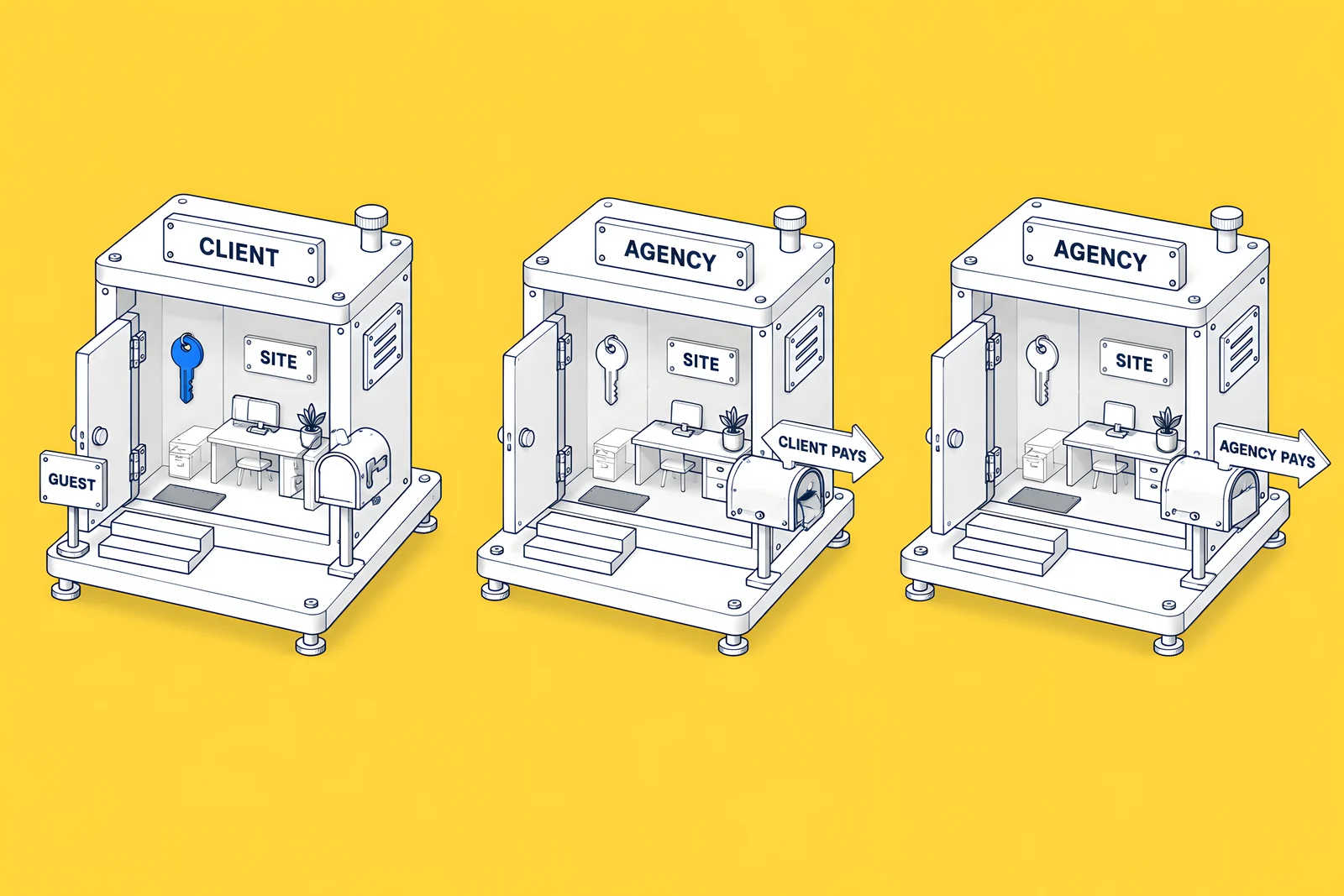
There are three, and each answers ownership, billing and access differently.
- Your workspace, with the agency as a guest. You own the workspace and the site. Webflow's guest role lets an agency on a Freelancer or Agency Workspace plan join for free and bring its team, without shared passwords. Guests cannot reach your General, Team, Plans, Billing or Partner settings.
- The agency's workspace, with you paying through client payments. The agency keeps the site, and Webflow's Client payments feature bills you directly for the Site plan and add-ons. You are given the content editor role by default.
- The agency's workspace, with the agency paying. The agency owns and pays, and usually recharges you on its own invoice. Access depends entirely on what the agency grants.
The comparison below sets the three side by side.
Does paying for the plan make you the owner?
No. Webflow is explicit: “The client may be allowed to manage billing but that doesn’t give them additional rights over site ownership.” Client payments moves the bill, not the site. The Client payments article is written for agencies and tells them: “You stay in control of the site without having to manage their costs.” It also notes that only one client can be attached to a site at a time.
In a dispute, Webflow's ownership article says it generally treats the owner of a site as the Webflow account that owns the workspace the site sits in, and that it cannot accept contracts as proof of ownership. Your contract still matters between you and the agency, but it does not change what Webflow sees.
How does a site transfer work?
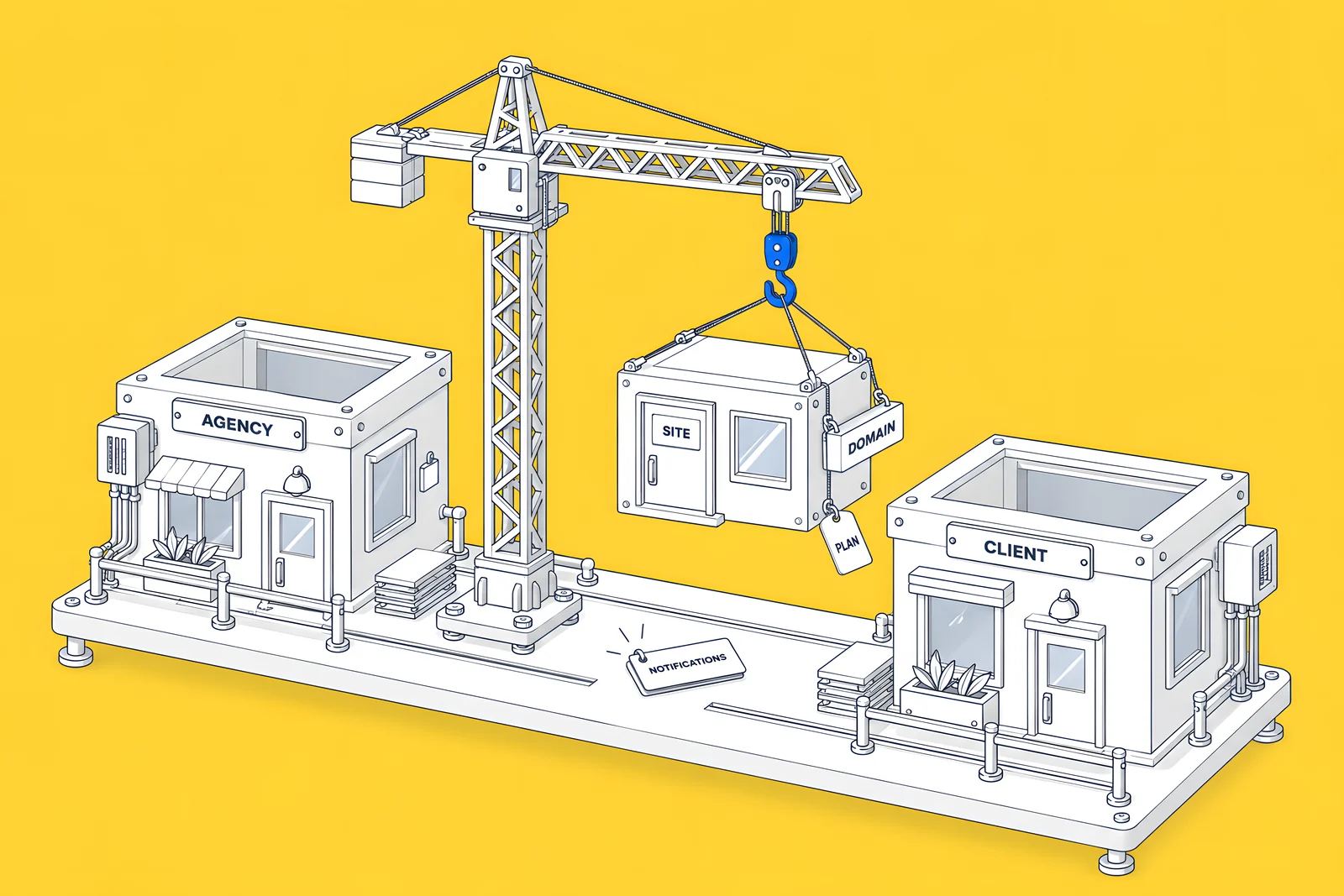
Webflow's transfer article describes the mechanics. Only Freelancer and Agency Workspace plans can transfer a site with an active paid Site plan to a client, and the client's workspace must not be an Enterprise workspace. The agency sends a transfer request; the client accepts, logs in or creates an account, adds a card and re-authorizes third-party apps.
What moves and what does not:
| Moves with the site | Reset or removed on transfer |
|---|---|
| The Site plan and connected custom domains | Form notification settings |
| Pages, styles, assets and CMS content | reCAPTCHA keys (reCAPTCHA stays enabled) |
| Backup versions, custom code and custom fonts | Adobe Fonts API key, billing and comments |
| Form submissions and 301 redirects | Shared Libraries (in-use items are copied to the site) |
Webflow adds that a site with localized content should be duplicated first and the duplicate transferred, and that once transferred, the agency can only keep working if the client adds it as a guest.
One caution on timing. Webflow's plan update article for 2026 does not say how a transfer interacts with the plan changes it describes. If a transfer is on your list, ask Webflow how it affects your plan and price before you pick a date.
What about domains, forms, integrations and accounts?
The site is only one of the things you need to own. Check each of these:
- Domain registrar account. The domain should be registered in an account your company controls, with DNS access written down. Webflow notes that in some edge cases it may release a domain to a client who can prove domain ownership, which only helps if you can.
- Form recipients. Notification settings reset on transfer, so check who receives submissions afterwards and use named people.
- Integrations. List every app connected to the site and the account it is connected through. After a transfer, the client has to re-authorize app access.
- Accounts and sign-in. Webflow's account security guidance says never to share login details and to collaborate through workspace plans instead. It also says two-factor authentication is available on every Workspace plan. Turn it on for every account with access, and store the backup codes somewhere your company controls. Customers on Enterprise Workspace plans can also enable single sign-on.
- Design files, analytics and Search Console. These live outside Webflow. Make sure your company's accounts own them.
What should you agree before signing?
Write the answers into the contract or statement of work, not just an email. Webflow itself suggests that clients and agencies outline site ownership, billing responsibility and access in their own agreements. At minimum, cover these points:
| Point | What to write down | Why it matters |
|---|---|---|
| Workspace | Which workspace holds the site during the build and after launch | Decides who owns the site in Webflow's eyes |
| Billing | Who pays the Site plan and each add-on, and through which account | Paying does not confer ownership, so name both separately |
| Roles | Which Webflow role your team gets, and who can publish | A content editor role cannot change site settings |
| Transfer | What triggers a move to your workspace and by when | Only the holding workspace can send a transfer request |
| Domain | Which registrar account holds the domain | A domain in the agency's account is a second lock-in |
| Handover | Editor guide, walkthroughs, integration list, access list | Knowledge leaves with the agency unless it is written down |
| Offboarding | How access is removed at the end | Removing a guest workspace removes all its members at once |
If the site will start in the agency's workspace, the transfer row is the one to get right. Webflow's transfer feature needs the agency to act, so the contract should say what happens and when, rather than leaving it to goodwill.
The checklist below scores how ready you are and lists what is still missing.
What happens if your agency becomes unreachable?
Webflow's options are narrow. Its ownership article says: “If you’re a client of a freelancer or agency and they pass away or become otherwise unreachable, Webflow cannot transfer their account and/or export the website in their account’s Workspace to you.” In that case Webflow can only let you update the site's billing information to keep it running. If billing lapses and payments fail, the site will be removed.
Webflow lists two edge cases: it may release the domain if you can prove domain ownership, and it can remove your card from the account where the site was created if you can prove card ownership. Neither gives you the site. That is the strongest argument for the client-workspace set-up, or for a written transfer agreement with a date if the site starts in the agency's workspace.
How ActiveSet does it
ActiveSet is a Webflow Premium Partner based in Bengaluru, India. Sites we build are built in, or transferred to, the client's own Webflow workspace, and handover includes editor guides or short recorded walkthroughs. For HeartFocus, we built and launched the site on Webflow in May 2024, moved the project into the client's workspace with an editor guide, and have delivered updates since.
See the HeartFocus case study, or Webflow maintenance if you want ongoing help on a site you own. Our guides on hiring a Webflow agency and the Webflow maintenance checklist cover what to ask and what your team keeps owning after launch.
Sources
- Webflow Help Center, Site ownership, updated 30 Oct 2025, checked 14 Oct 2026
- Webflow Help Center, Client payments, updated 2 Jul 2026, checked 14 Oct 2026
- Webflow Help Center, How do I transfer a site or plan to another workspace?, updated 1 Aug 2026, checked 14 Oct 2026
- Webflow Help Center, Can I transfer a site with a paid Site plan to my client?, updated 8 Sep 2026, checked 14 Oct 2026
- Webflow Help Center, Agency or Freelancer guest role overview, updated 3 Aug 2026, checked 14 Oct 2026
- Webflow Help Center, Guide for clients of agencies and freelancers, updated 25 Jul 2025, checked 14 Oct 2026
- Webflow Help Center, Keep your Webflow account secure, updated 5 Aug 2025, checked 14 Oct 2026
- Webflow Help Center, Updated pricing and simplified plans for May 2026, updated 31 Aug 2026, checked 14 Oct 2026
- Webflow (with Vanson Bourne), The 2026 State of the Website, survey June to July 2025, checked 14 Oct 2026
Frequently Asked Questions
Yes. Webflow's guest role lets an agency or freelancer on a Freelancer or Agency Workspace plan join your workspace for free and bring its team, without sharing passwords. Guests can work on the sites you give them access to, but cannot reach your billing, plans, team or general workspace settings. You control which roles they can assign and, on some plans, whether they can publish.
Not on your own. Paying through Webflow's client payments moves the bill, not ownership; Webflow says it does not give the client additional rights over the site. The transfer request has to come from the agency's workspace, which needs a Freelancer or Agency Workspace plan, and your workspace must not be an Enterprise workspace.
Webflow resets account- and client-specific settings: form notification settings, reCAPTCHA keys (reCAPTCHA stays enabled), an Adobe Fonts API key, billing and comments. Shared Libraries are uninstalled, with the items in use copied to the site, and connected apps must be re-authorized. Pages, CMS content, assets, form submissions and 301 redirects move with the site.
No. Webflow's ownership article says it cannot accept emergency contact details or contracts as proof of ownership, and that it generally treats the owner of a site as the Webflow account that owns the workspace holding it. A contract still governs your relationship with the agency, so include ownership and transfer terms, but do not rely on it with Webflow.


