PHP2Shell (CVE-2026-109618/109619): What WordPress Site Owners Should Check Today

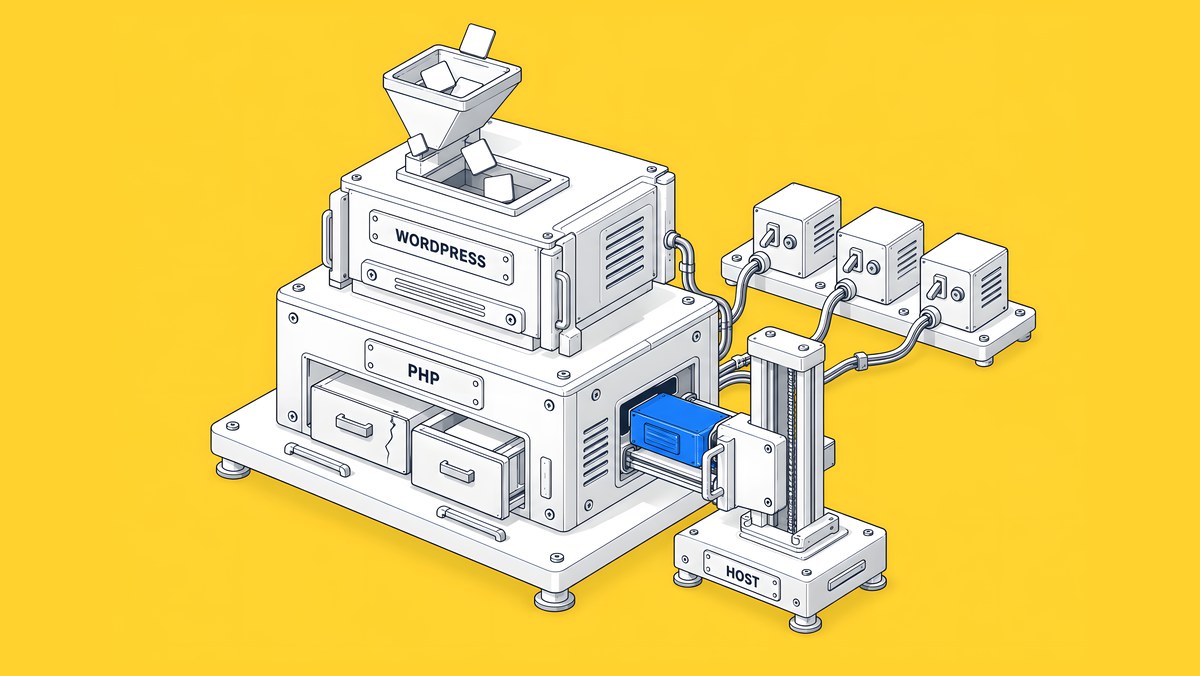
PHP2Shell is the name for two critical flaws in PHP itself, CVE-2026-109618 and CVE-2026-109619, that can let an attacker run code on a web server without logging in. PHP fixed them on 21 October 2026 in versions 8.5.12, 8.4.27, 8.3.36 and 8.2.35. Updating WordPress or its plugins does not fix this: your host, or whoever runs your server, has to upgrade PHP and restart it. The details are in the official PHP security advisory.
Last updated: 22 October 2026, 8:30 PM IST. The changelog is at the end of this page.
What to do today
- Check your PHP version in Tools > Site Health > Info > Server and compare it with the table below.
- Check what your host has said in our host patch status tracker, then send your host the five questions in this guide, even if your version number looks current.
- Look for signs of compromise since 17 October, because patching doesn't undo anything that happened before it.
- Then decide whether your marketing site should keep running on PHP. Patch first either way.
What is PHP2Shell?
PHP2Shell covers two bugs in how PHP cleans up memory when a request goes wrong. In the first, CVE-2026-109618, an out-of-memory error can leave internal request data half set up, which PHP later treats as valid. In the second, CVE-2026-109619, state from an earlier request can outlive the memory behind it and be reused by the next request on the same worker. The PHP Foundation says both can lead to remote code execution without authentication.
The PHP project rates both 9.2 on CVSS v4.0, and NVD scores them 9.8 on CVSS v3.1 (CVE-2026-109618, CVE-2026-109619). Both count as critical. The fixed releases were scheduled for 14:00 UTC (7:30 PM IST) on 21 October, pulled forward from 22 October after the CVE IDs leaked online a day early (PHP Foundation).
Is my WordPress or WooCommerce site affected?
If your site runs on PHP and its PHP version is older than the fixed release for its branch, treat it as affected until your host confirms otherwise. PHP's advisory names every installation that serves web requests, including PHP-FPM, Apache with mod_php, php-cgi, FrankenPHP and LiteSpeed, and rates the risk highest for mod_php. WordPress, WooCommerce, Drupal, Laravel and Magento sites are in scope because they all run on PHP.
To check your version in WordPress, go to Tools > Site Health > Info > Server and read the PHP version line (WooCommerce). Many hosts also show it in their control panel.
| PHP branch | Fixed in | Notes |
|---|---|---|
| 8.5 | 8.5.12 | Current branch |
| 8.4 | 8.4.27 | Supported |
| 8.3 | 8.3.36 | Supported |
| 8.2 | 8.2.35 | PHP says 8.2 reaches end of life on 31 December 2026, so plan an upgrade too |
| 8.1 and older | No regular release; source-only backports, and many vendors ship patched builds | See the section on older versions below |
Source: PHP security advisory and release notes, 21 October 2026.
One caveat: Linux distributions and long-term-support vendors received the patch in advance and may ship it inside their own packages, so the version number in Site Health does not always tell the whole story. If your number looks older than the table, ask your host whether their build includes the fix rather than assuming either way.
Why updating WordPress or plugins won't fix it
The flaws are in the PHP runtime, the software your server runs underneath WordPress. WooCommerce says the vulnerabilities are not specific to WooCommerce or WordPress and that no WooCommerce or WordPress update is required or planned for them. Cloudflare makes the same point: updating site code or plugins alone does not fix these flaws. Keep WordPress and plugins current for their own reasons, but the PHP2Shell fix happens on the server.
Some hosts have already acted. WooCommerce says stores on Automattic's infrastructure, which includes WordPress.com, WordPress VIP, Pressable and WP Cloud, are already protected (their word; no build number is named). If you are hosted anywhere else, ask.
Has your host patched yet?
Hosts are moving at different speeds, and several have not said anything. We are keeping a PHP2Shell host patch status tracker with what 35 hosts and platforms have published, when, which PHP builds, and which plans were left out (VPS and self-managed plans usually are). Check it before you open a ticket, so you can quote your host's own status page back to them.
What to ask your host today
Copy these five questions into a support ticket:
- Which PHP version and build serves our production site right now, and does it include the fixes for CVE-2026-109618 and CVE-2026-109619?
- Were all PHP workers restarted after the update (PHP-FPM pools, Apache or LiteSpeed processes), so that no process started before the patch is still serving requests?
- Are our staging sites, old sites and any other PHP apps on this account patched as well?
- If we are on PHP 8.1 or older, does your build include a backported fix, and when can we move to a supported version?
- Have you added temporary firewall rules, and have you checked our logs for exploitation attempts since 17 October 2026?
Why ask about restarts: a long-running PHP worker keeps the code it started with, and PHP's advisory tells administrators to restart every worker after changing settings. Why 17 October: Amazon Threat Intelligence advises investigating from at least that date.
What if you're on PHP 8.1 or older?
PHP 8.1 and older no longer receive regular releases from the PHP project. For this issue, the PHP security team published minimal source backports for 7.4, 8.0 and 8.1, mainly for people who build PHP themselves, and notes that some distributions and LTS vendors provide backported fixes. By 22 October, Ubuntu 22.04 (USN-8948-1), cPanel's EasyApache packages, Liquid Web, Hostinger, Hetzner and Pantheon had shipped builds with the fix for 8.1 and older, so the version number alone does not tell you whether you are covered. In practice:
- Ask your host whether their build for your version includes a backported fix.
- Plan the upgrade either way. A supported branch is the lasting fix. WooCommerce recommends PHP 8.3 or newer. Test on staging first, because older plugins and themes can break on a newer PHP version.
- If you run your own server and can't patch quickly, WooCommerce quotes the UK National Cyber Security Centre's advice to consider taking the system offline until it can be fully mitigated.
Should you take the site offline while you wait?
If nobody can confirm a patched build and you run your own server, a few hours offline is a reasonable trade. If you do it, make the server answer with an HTTP 503 status rather than letting pages time out or return 404 or 500 errors. Google's John Mueller gave that advice on 21 October (Search Engine Roundtable): a 503 tells Google the outage is temporary, so rankings are not affected by a short one. Keep it to hours, not weeks; a 503 that lasts for weeks will be treated as a site that has gone away.
Signs your site may already be compromised
Reports differ on how widely PHP2Shell is being exploited, so attribute them carefully. Amazon Threat Intelligence says it saw an exploitation attempt against its honeypots on 17 October, four days before disclosure, and that PHP2Shell is now being broadly exploited. Cloudflare says it observed attack traffic targeting its customers. CISA said it had not observed exploitation when it published its alert on 21 October. India's CERT-In advisory CIVN-2026-0510, issued the same day, says multiple reports confirm large-scale exploitation in the wild and advises patching urgently.
Patching stops new attacks through these flaws, but it doesn't undo anything that happened before. Ask your host or developer to look for:
- New WordPress admin users nobody on your team created
- Unfamiliar PHP files, especially in the uploads folder, or core files changed recently
- Unexpected redirects, spam pages or strange links showing up for your domain in search results
- Spikes in PHP worker crashes, errors or memory use since 17 October
- New scheduled tasks or outbound connections that nobody can explain
If any of these turn up, treat it as an incident: keep the logs, patch first, then change passwords and keys, and follow WordPress.org's guide FAQ: My site was hacked.
If your site is hosted in India
CERT-In rates PHP2Shell critical and advises patching urgently (CIVN-2026-0510, 21 October). The fixed releases landed at 7:30 PM IST on 21 October, so a host that patched "the same day" did so overnight Indian time. Hostinger and GoDaddy have published global statements that cover their Indian plans (Hostinger excludes VPS). As of 22 October we could not find a PHP2Shell statement from BigRock, HostGator India, Bluehost India, MilesWeb or ResellerClub; if you are with one of them, open the ticket with the five questions above today. We track updates in the host status tracker.
Is Webflow affected?
Webflow's Trust Center says Webflow's "core services are not built on PHP and are not affected", and that its security team is assessing non-production systems that use PHP. That covers a site Webflow hosts for you.
It doesn't cover anything you run elsewhere. A PHP form handler, a customer portal, a WordPress blog on a subdomain or an old site still live on another server each needs its own patch.
Should your marketing site still run on PHP?
PHP2Shell is a fair prompt to ask who patches the server under your marketing site, and how quickly they can do it. There is no single right answer:
| Option | Who patches PHP | Fits when | Trade-off |
|---|---|---|---|
| Stay and patch | You, or your host's support process | You have a reliable owner for server updates and the site depends on WordPress plugins | You own the response time for the next runtime issue |
| Managed WordPress hosting | The host | You want to keep WordPress but hand off server patching | Usually costs more; you still maintain plugins and themes |
| Move the marketing site to Webflow | Webflow, for the site it hosts | Marketers publish often and the site doesn't need server-side PHP | A planned rebuild; any PHP apps you keep still need patching |
Moving removes the WordPress and PHP runtime from the hosted marketing site. It doesn't make a site secure on its own: accounts, integrations, third-party scripts and any PHP services you keep are still yours to look after. For the running-cost side of the decision, see our 3-year cost model for Webflow, WordPress and headless.
Disclosure: ActiveSet is a Webflow Premium Partner.
What a planned migration to Webflow involves
Patch first. A migration is a planned project, not an emergency fix. Webflow's migration overview says there is no automated way to convert a site from another platform, so a move is a rebuild. The main steps:
- Inventory every URL and record a traffic baseline from Search Console and analytics.
- Map content types, such as posts, case studies and authors, to Webflow Collections.
- Rebuild the templates and import the content.
- Build a 301 redirect map for every URL that changes. Our redirect map guide covers the format and testing.
- Replace plugin features such as forms, search and gated content.
- Test on staging, launch and monitor Search Console against your baseline.
Our WordPress to Webflow migration checklist walks through each step. If you would like a second pair of eyes on your current site first, see how we audit sites, or read about our website migration service.
For a smaller marketing site, we also run a fixed-price 3-day WordPress migration with set page, CMS and form limits. Your WordPress site stays live until you approve the launch.
Sources
- PHP, Security advisory: Critical remote code execution vulnerabilities, update now, 21 Oct 2026
- The PHP Foundation, Today's PHP Security Release, and How We're Strengthening PHP Security, 21 Oct 2026
- CISA, Critical Vulnerabilities in PHP Require Immediate Patching, 21 Oct 2026
- CERT-In, Vulnerability note CIVN-2026-0510, 21 Oct 2026
- NVD, CVE-2026-109618 and CVE-2026-109619
- WooCommerce Developer Blog, Critical Security Releases for PHP, 21 Oct 2026
- Cloudflare, Cloudflare deploys protections against php2shell vulnerability, 21 Oct 2026
- AWS Security Blog, Amazon Threat Intelligence identifies PHP2Shell exploitation prior to public disclosure in MadPot
- Ubuntu, USN-8948-1: PHP vulnerabilities, 21 Oct 2026
- Search Engine Roundtable, Google on sites going offline for PHP2Shell: use 503, 21 Oct 2026
- Webflow, Trust Center, PHP2SHELL vulnerabilities statement, checked 22 Oct 2026
- Webflow Help Center, Migrate your site to Webflow overview
- WordPress.org Documentation, FAQ: My site was hacked
Changelog
- 22 October 2026, 8:30 PM IST: Corrected the release timing (scheduled 14:00 UTC, pulled forward from 22 October); noted that vendors ship patched builds for 8.1 and older; added CERT-In, the host status tracker, the 503 advice for sites going offline, and an India section.
- 22 October 2026: Added a short "What to do today" list and a link to our 3-day migration.
- 22 October 2026, 12:10 IST: First published.
Frequently Asked Questions
No. The flaws are in PHP, not WordPress. Your host has to upgrade PHP to 8.2.35, 8.3.36, 8.4.27 or 8.5.12 (or a vendor build with the fix) and restart its PHP workers.
No. A web application firewall can block known attack patterns while you patch, but PHP says updating is the only safe choice, and Cloudflare tells its customers to patch even with its WAF rules switched on.
Webflow's Trust Center says its core services aren't built on PHP and aren't affected. Any PHP apps, forms or portals you run elsewhere still need patching.
Moving removes the WordPress and PHP runtime from the marketing site Webflow hosts. It doesn't remove risks from accounts, integrations, third-party scripts or any other PHP services you keep.
Patch first. A migration is a planned project, not an emergency fix. Once your server is patched, compare staying, managed WordPress hosting and a move to Webflow on who patches the server and how your team publishes.
