Should Your Docs, Help Centre or App Sit on a Subdomain or a Subdirectory Next to Webflow?

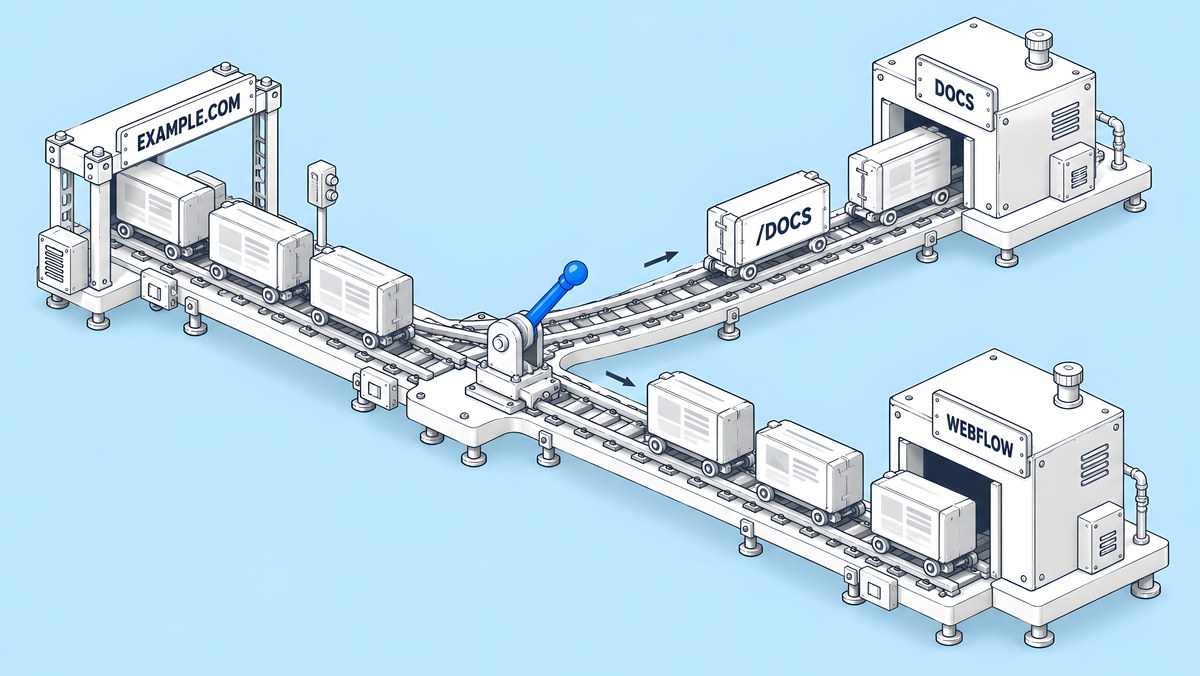
A Webflow site serves its own pages, so docs, help centres and apps built on other platforms usually sit on a subdomain such as docs.example.com. To show them in a subdirectory such as example.com/docs instead, you need a reverse proxy that you run yourself, because Webflow documents the set-up but does not support third-party proxies, or you build the section as a Webflow Cloud app mounted at a path. Whichever you choose, each host needs its own robots.txt, sitemap and canonical tags, and a Search Console Domain property covers every subdomain.
This guide is for the marketing or SEO lead whose docs, help centre or product app runs on a different platform from the Webflow marketing site. It does not argue that one set-up ranks better than another; no official source we found says so. It explains what each set-up changes in practice and which team owns each SEO fix, so nothing falls between platforms.
What can live on the same domain as a Webflow site?
Four set-ups are common:
| Set-up | Example URL | How it works | Who runs it |
|---|---|---|---|
| A folder in the Webflow site | example.com/resources | Ordinary Webflow pages or CMS templates | Your Webflow team |
| A Webflow Cloud app at a path | example.com/app | A framework app deployed through Webflow Cloud and mounted at a path on the site's domain | Your developers, inside Webflow |
| A subdirectory through a reverse proxy | example.com/docs | A proxy in front of the domain sends /docs to the docs platform and everything else to Webflow | Your team, at the proxy |
| A subdomain | docs.example.com | DNS points the subdomain at the docs or help platform | The docs platform and your team |
The first is the simplest when the content can be built in Webflow at all. Many docs tools, help desks and product apps cannot be, which is why the other three exist. The decision tree below walks through the choice.
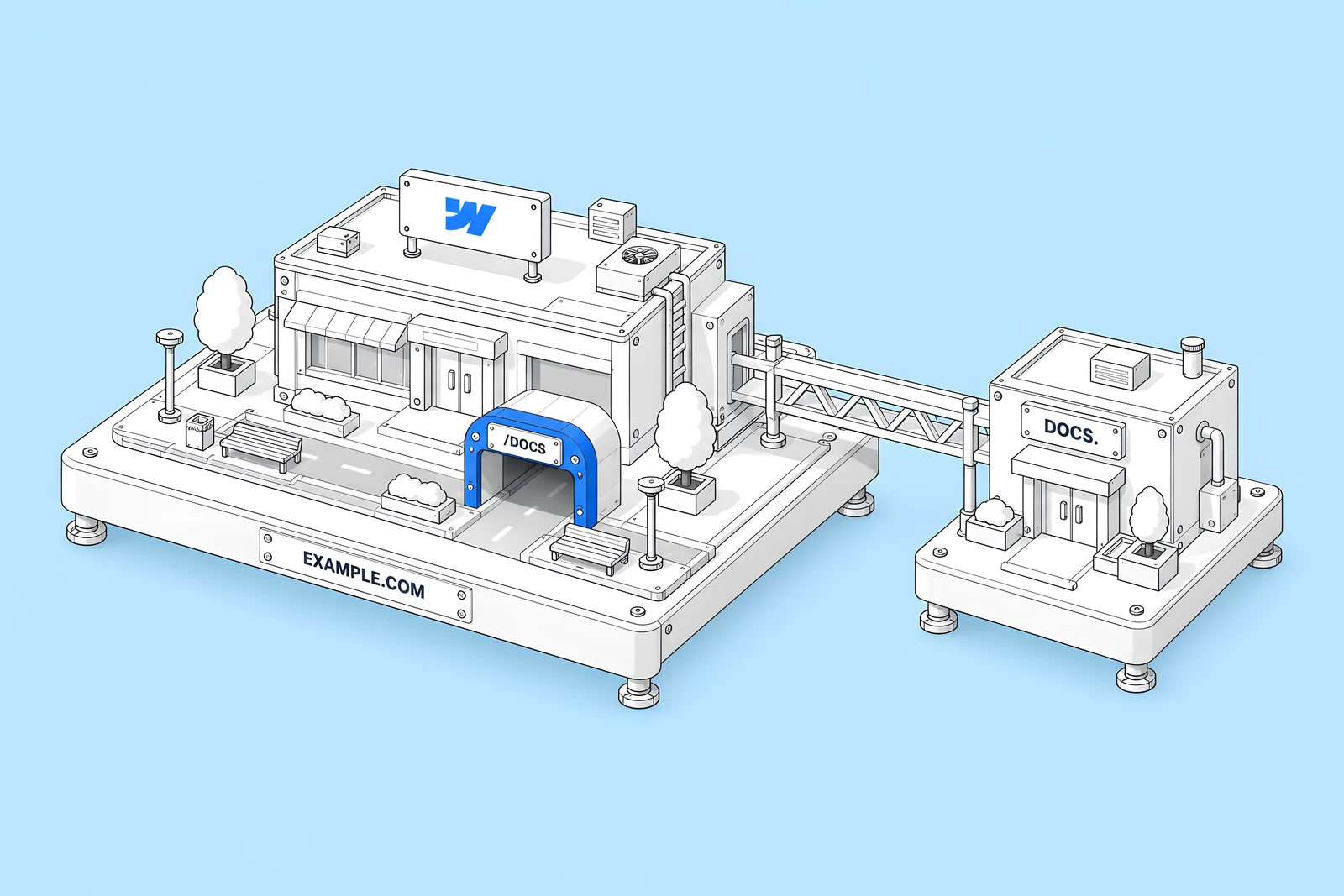
Subdomain or subdirectory: what changes for SEO?
The practical differences are about files, settings and measurement, not about a ranking bonus.
robots.txt is per host. Google's robots.txt documentation says: “A robots.txt on a subdomain is only valid for that subdomain.” A docs subdomain therefore needs its own file, served by the docs platform. In a subdirectory set-up, the root robots.txt is the only one that counts, because “Crawlers don't check for robots.txt files in subdirectories.” Rules for /docs must go into the main site's file.
Sitemaps follow the host or the folder. Google's sitemap guidance says that unless you submit a sitemap through Search Console, it affects only URLs under its own directory. On a subdomain, the docs platform publishes its own sitemap. Behind a proxy, you either list both sitemaps in the root robots.txt or submit both in Search Console.
Internal linking is a content decision either way. Links from the marketing site into docs, and back, matter in both set-ups. A subdirectory does not link pages for you, and a subdomain does not stop you linking them.
Measurement takes more setup on separate hosts. Analytics, consent and Search Console must cover every host, which the measurement section covers below.
How does a reverse proxy to Webflow work?
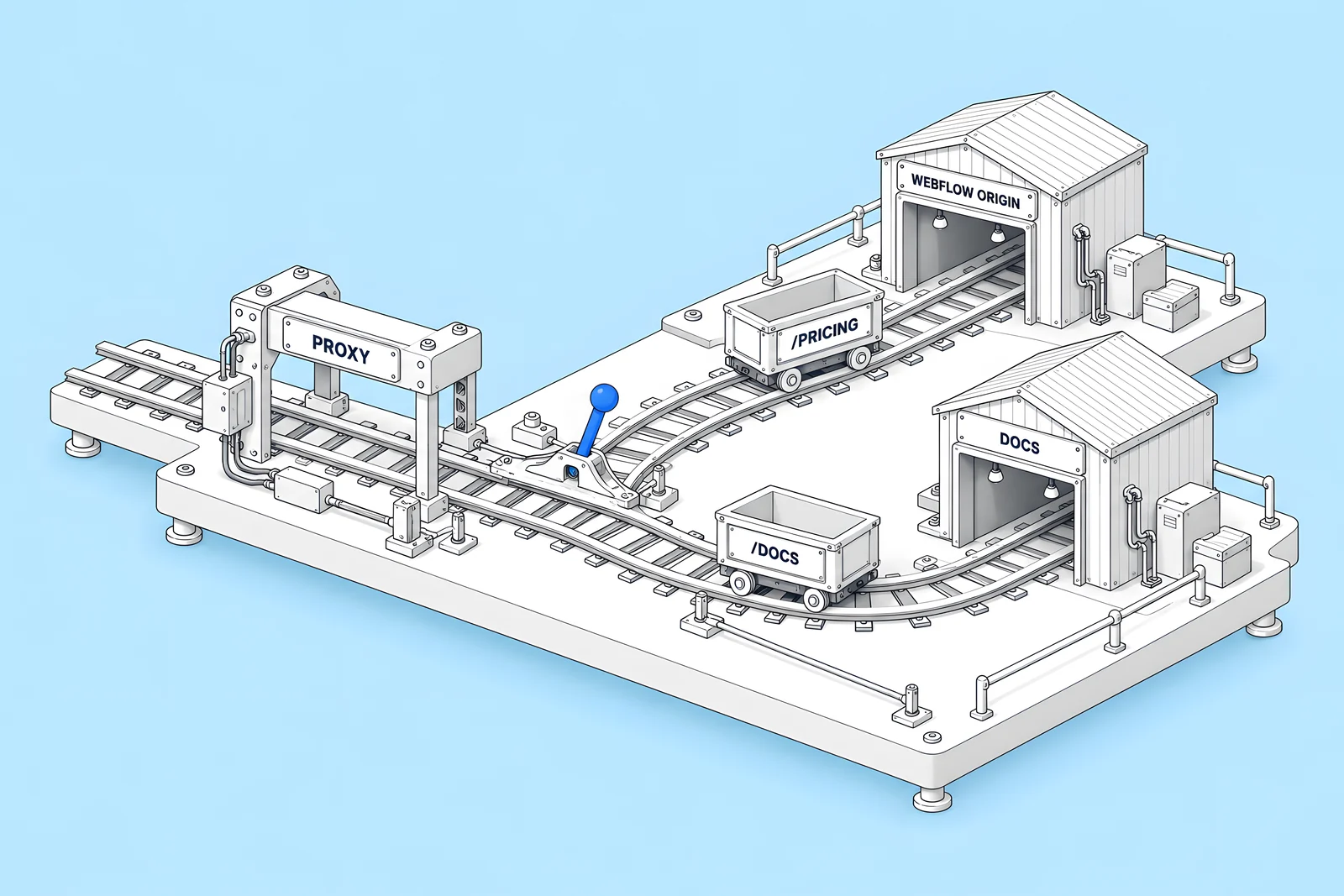
A reverse proxy sits in front of your public domain and decides which origin answers each request. Webflow's self-managed reverse proxy guide puts it simply: “Reverse proxies let you serve Webflow content under your own domain or a subdirectory.” For a docs subdirectory, the proxy sends /docs requests to the docs platform and everything else to Webflow.
Webflow's guide sets out the Webflow side:
- Publish Webflow to a dedicated origin subdomain, such as wf.example.com, on a paid Site plan, and point the proxy at that host.
- Set the origin subdomain as the default domain in Webflow to avoid unwanted redirects.
- Fix the sitemap base URL. Making the origin the default domain puts it in the auto-generated sitemap. Webflow's fix is to set the global canonical URL to your public site and “Turn on Use your global canonical URL as the base URL for each sitemap.xml entry”.
- Forward the Host header and query strings, so CMS pages, search and filters work.
- Set a global canonical pointing at the public URL, so the origin and the public host do not compete.
- Never proxy the staging domain. Webflow is explicit: “Do not reverse proxy *.webflow.io staging subdomains.”
Know the support position before you commit. The same guide says: “Note that Webflow does not configure or support third‑party proxies and isn’t responsible for processing that occurs upstream of your Webflow origin.” Webflow says it can verify your Webflow origin and share best practices, but the proxy, its caching and its routing rules are yours to run, monitor and fix.
When does a Webflow Cloud app make more sense?
When the section is something your developers would build anyway, such as a calculator, a portal, a searchable directory or app-like docs, and you want it on the main domain without running a proxy. Webflow's Webflow Cloud overview describes it as serverless hosting for full-stack apps built with frameworks such as Next.js and Astro, with built-in SQLite, key-value and object storage.
Three things to check:
- Plan. Webflow's Choose a Site plan article says: “Webflow Cloud requires a Premium Site plan or higher to mount to a custom domain.”
- Paths. Each environment is served at a mount path under your Webflow domain. Webflow's environments documentation says that if a Cloud app and a Webflow page share a path, the app takes precedence, and suggests distinct paths such as /app.
- Usage. Requests, CPU time and bandwidth count against plan limits, and Cloud bandwidth is included in the site's overall bandwidth, per the overview. Usage appears under Site settings > Plan usage.
A Cloud app does not move an existing third-party docs tool onto your domain. It is a route for things you build, not a proxy for things you buy.
Which SEO fixes belong to which platform?
This is where cross-host set-ups usually go wrong: an audit finds an issue, and nobody is sure which system the fix lives in. In Webflow's survey report with Vanson Bourne, The 2026 State of the Website (survey June to July 2025), “91% of technical leaders report there is some level of friction today within their organization between technical and non-technical teams when making changes to the website.” A written ownership table removes one source of that friction.
The general rule: the system that serves a URL owns that URL's tags. Webflow controls meta tags, canonicals, structured data and redirects only for pages Webflow serves. A proxy owns the root robots.txt if you host it there, plus the routing rules and caching. The docs platform owns everything on its own pages. The widget below fills in the details for each set-up.

How do you measure across hosts?
Use one Search Console property that sees everything, and one analytics set-up that treats the hosts as one site.
- Search Console Domain property. Google's property documentation says: “A Domain property aggregates data for all subdomains, protocols, and subpaths of the property.” Verify it by DNS once and you see the marketing site and docs together. Add URL-prefix properties for each host if you want separate reports.
- One analytics property across hosts. Google Analytics' cross-domain measurement guide warns that moving between subdomains with different cookie domains can create self-referrals. Its fixes include tagging every page with the same measurement code and making sure all subdomains use the same cookie domain.
- Consistent consent. The consent banner and its settings should behave the same on every host, or your data will differ by host for reasons that have nothing to do with visitors.
- Consistent UTM rules. Links from docs or the app back to the marketing site should not carry campaign parameters, or internal clicks will show up as campaigns.
What should you check after moving docs or help pages?
Moving a section between a subdomain and a subdirectory changes every URL in it, so treat it as a small migration:
- Redirects on the old host. If docs move from docs.example.com to example.com/docs, the redirects must be served by whatever answers docs.example.com, not by Webflow. Map each old URL one to one, as in our redirect map guide.
- Canonicals on every moved page point at the new URL.
- robots.txt: the old host's file no longer blocks the redirects, and the root file covers the new path.
- Both sitemaps: the new URLs are listed and the old host's sitemap is removed or emptied.
- Internal links on the Webflow site point straight at the new URLs.
- Search Console: the pages report in the Domain property, and new 404s are reviewed weekly.
Our technical SEO launch checklist covers the Webflow side of the same checks.
How ActiveSet approaches it
ActiveSet is a Webflow Premium Partner based in Bengaluru, India. Our ongoing work for Privado, whose site we have developed on Webflow since 2022, includes technical SEO. Work is tracked in ClickUp and a shared Slack channel, and builds are reviewed on staging with Markup.io before launch. If your site spans Webflow and other platforms, the ownership table above makes a good first brief for whoever does the work.
For help with search work across hosts, see Webflow SEO. For proxies, Cloud apps or custom builds, see Webflow development.
Sources
- Webflow Help Center, Set up a self-managed reverse proxy in Webflow, updated 5 Oct 2026, checked 14 Oct 2026
- Webflow Help Center, Webflow Cloud overview, updated 29 May 2026, checked 14 Oct 2026
- Webflow Help Center, Choose a Site plan, updated 2 Aug 2026, checked 14 Oct 2026
- Webflow Developers, Managing environments (Webflow Cloud), checked 14 Oct 2026
- Google for Developers, How Google interprets the robots.txt specification, checked 14 Oct 2026
- Google Search Central, Build and submit a sitemap, checked 14 Oct 2026
- Google Search Console Help, Add a website or platform property to Search Console, checked 14 Oct 2026
- Google Analytics Help, Set up cross-domain measurement, checked 14 Oct 2026
- Webflow (with Vanson Bourne), The 2026 State of the Website, survey June to July 2025
Frequently Asked Questions
Webflow documents how to set one up and publishes the requirements for the Webflow origin, but it does not configure or support third-party proxies. Its support team cannot help set up or troubleshoot your proxy. Enterprise customers who want one can contact Webflow's sales team, who can help confirm the Webflow origin responds correctly and share best practices.
No. Webflow's reverse proxy guide says not to proxy *.webflow.io staging subdomains, and its FAQ says doing so is not supported and violates its Terms of Service. Publish the site to a custom origin subdomain on a paid Site plan, such as wf.example.com, and point the proxy there.
Not if you use a Domain property. Google says a Domain property aggregates data for all subdomains, protocols and subpaths, so docs.example.com and www.example.com report together. You can still add a URL-prefix property for the subdomain if the docs team wants its own reports.
They can, but the app wins. Webflow's Cloud environments documentation says that when a route conflicts between a Cloud app and a Webflow page, the Cloud app's route takes precedence. Choose distinct mount paths such as /app, and keep a list of app routes so nobody creates a Webflow page that will never be seen.


