How Should a Design Studio Hand a Project to a White-Label Webflow Developer?

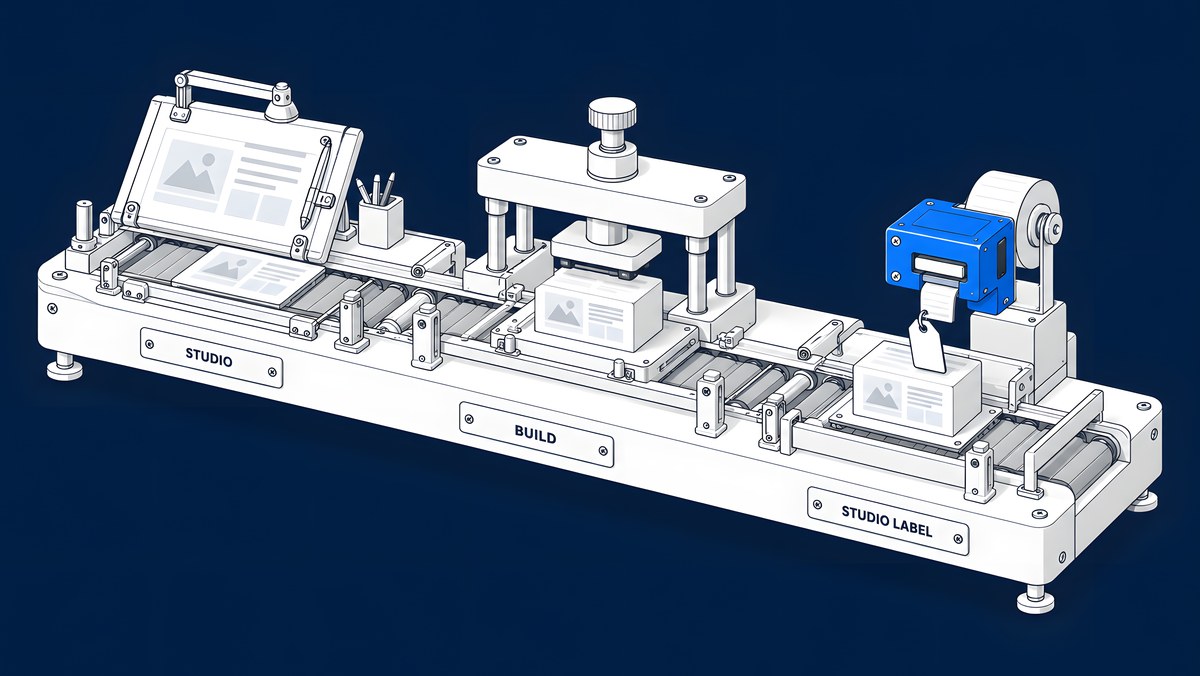
Agree five things before the first file moves. Which Webflow Workspace will hold the site and who pays for it. Whether the developer is credited or stays invisible. Who talks to the client. What "ready for build" means for the Figma file. And how reviews and launch sign-off work. Write those answers down in one short document, and a white-label build becomes a normal production step rather than a source of surprises.
This guide is for studio founders and producers who sell Webflow sites but do not build them in-house. It explains each agreement, compares three common workspace set-ups using Webflow's own documentation, and ends with a kickoff checklist you can copy.
What does white-label Webflow development cover?
A white-label developer builds the site under your studio's name. Your studio owns the client relationship, the design and the brand of the delivery. The developer turns your approved designs into a working Webflow site and supports you through launch.
The work usually includes:
- The build: pages, components, responsive layouts and a class system your team or the client can keep using.
- CMS set-up: Collections for blog posts, case studies, team members or anything else that repeats, with fields an editor can understand.
- Interactions and animation, to the level the design calls for.
- Integrations: forms into the client's CRM, analytics, scheduling and any embeds.
- QA and launch support: browser and device checks, redirects if the site replaces an older one, and the domain switch.
Studios bring in outside developers for the same reason any team does: capacity and speed. In the SoDA Agency Outlook Study '26 (SoDA with Webflow, January 2026), 84% of agency leaders described faster turnaround times as a challenge, and the summary adds that “45% agree that AI technology has intensified this expectation.” A clear handoff is what lets a second team move quickly without the client noticing a seam.

Who should own the workspace, site and billing?
Decide this first, because it shapes access, billing and what happens when the project ends. Webflow's rule is simple: by default, sites are owned by the Workspace they are in. If the site sits in an agency's Workspace, that Workspace owns it, and the client does not automatically get rights to transfer or duplicate it. Webflow suggests that clients and freelancers set out site ownership, billing responsibility and access in their own agreements.
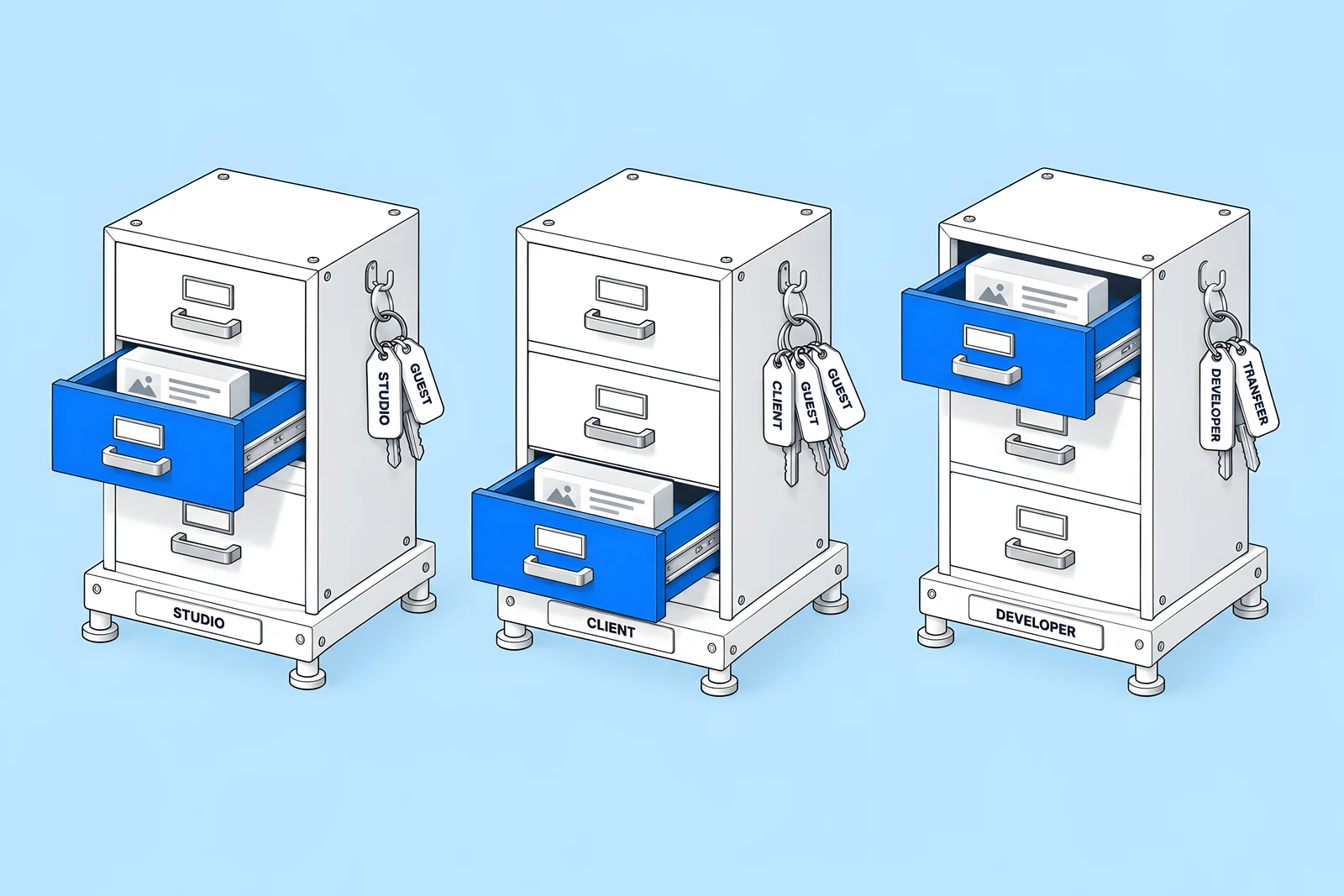
Three set-ups are common:
- The studio's Workspace. The studio holds the site. With a Freelancer or Agency Workspace plan, the studio can use client payments so the client pays for the Site plan and add-ons directly, while the site stays in the studio's Workspace. The developer joins as a member or, if the developer has its own Agency or Freelancer Workspace plan, as a guest; Webflow lists "an agency inviting a contractor" as one type of host.
- The client's Workspace. The client owns the site from day one and invites the studio and the developer as guests. Webflow's seats overview says customers can invite up to two Freelancer or Agency guest teams to their Workspace for free (up to 10 on an Enterprise Workspace plan). Guests need an Agency or Freelancer Workspace plan of their own.
- The developer's Workspace. The developer builds in its own Workspace and the site moves later. Webflow documents transferring a site with an active Site plan from a Freelancer or Agency Workspace to another Workspace, which must not be an Enterprise Workspace. After a transfer the sender cannot make changes unless the new owner adds them to their Workspace, for example as a guest, and shared Libraries are uninstalled, with their components, assets and variables converted to site-level ones.
Plan prices and limits for sites in Freelancer and Agency Workspaces are also changing: Webflow's plan update article says Site plan changes take effect for existing sites in those Workspaces from 16 November 2026. Check the article and the pricing page for your own sites, because prices change. This guide describes the features only; it does not recommend when or whether to move a site.
The comparison below sets the three options side by side.
What should the studio hand over with the Figma file?
A developer can only build what the file makes clear. Before handoff, check that:
- Every page and template is designed at desktop and mobile, with tablet where the layout changes.
- Components and styles are named and reused, so a button is one component rather than twelve slightly different rectangles.
- Type, colour and spacing are defined as styles or variables, which map cleanly to a Webflow style guide.
- States are drawn: hover, focus, open menus, form errors and empty CMS states.
- Real or realistic copy is in place, especially for headings that might wrap.
- CMS content is marked: which sections repeat and what fields each item has.
- Interactions are described, with a short note or a reference video for anything beyond a fade.
- Assets are exportable: icons as SVG, images at the right sizes, fonts licensed for web use.
Our Figma to Webflow handoff guide covers each point in detail, including how Figma components and variables map to Webflow.
How do you keep the client relationship clean?
White-label work fails quietly when roles blur. Agree these rules up front:
- One voice to the client. Usually the studio. The developer answers the studio, and the studio answers the client. If the developer joins client calls, agree how they introduce themselves.
- Credit. Decide whether the developer may mention the project, show it in a portfolio or appear in a footer credit, and say so in writing. Silence here causes awkward moments later.
- Webflow branding. By default the "Made in Webflow" badge appears on published sites. Webflow's branding article says you can hide it with a paid Site plan or a Growth, Agency or Enterprise Workspace plan, and that a separate setting removes the Webflow comment from the site's HTML.
- Confidentiality. Put the terms in your contract with the developer. Keep client documents in shared folders the studio controls.
- Support requests. Decide who receives them after launch and how the developer is brought in.
How do reviews, QA and sign-off work?
Agree the review method and the number of rounds before the build starts, so feedback arrives in one place and in batches.
- Where to review. The Webflow staging subdomain (yoursite.webflow.io) is meant for testing and getting approval before the site goes to the custom domain. Decide whether the client sees staging directly or only after the studio's own review.
- How to leave feedback. Webflow Comments can be left by all Workspace roles, including guests and reviewers, and each new comment records the browser, operating system, viewport and device. Every Workspace includes up to 100 free Reviewer seats, according to the seats overview linked above. Some teams prefer an external review tool; pick one and stick to it.
- Rounds. Write down how many review rounds are included and what counts as a new request rather than a fix.
- Acceptance criteria. For each page type: matches the approved design at agreed breakpoints, CMS items display correctly, forms deliver to the right place, accessibility basics pass.
- Launch owner. One named person runs the launch checklist and the domain switch.

What happens after launch?
Decide who looks after the site and how changes reach the developer:
- Maintenance owner. The studio, the developer under the studio's name, or the client's own team.
- Editor training. A short written guide or recorded walkthroughs so the client's team can edit content. Clients on a site in the studio's Workspace can be given a client seat; the Agency plan includes three per site and the Freelancer plan one.
- Request routing. Where the client sends requests, who triages them and how the developer is briefed.
- Ownership end state. If the site will move to the client's Workspace at some point, write down who triggers it and what access each party keeps.
What should go into the agreement?
One page is enough. The checklist below covers ownership and billing, credit, communication, files and scope, review and launch, and life after launch. Tick each line as you agree it and copy the result into your kickoff note.
How ActiveSet does it
ActiveSet is a Webflow Premium Partner based in Bengaluru, India, and works as the Webflow development partner for design studios, including a studio's own website and a site in three languages. We build on Finsweet Client-First with the style guide set up first and reusable components. Sites are built in, or transferred to, the client's own Webflow workspace, and handover includes editor guides or short recorded walkthroughs. Our usual order runs from discovery to Figma design, the Webflow build, a review on staging with Markup.io, and launch, with work tracked in ClickUp and a shared Slack channel.
If you run a studio and want a development partner, see white-label Webflow development. For the CMS side of the handover, see our guide to Webflow CMS architecture and editor handoff.
Sources
- SoDA (Society of Digital Agencies) with Webflow, SoDA Agency Outlook Study '26 and The SoDA Report On: New strategies for the modern agency, Jan 2026
- Webflow Help Center, Site ownership, checked 14 Oct 2026
- Webflow Help Center, Client payments, checked 14 Oct 2026
- Webflow Help Center, Agency or Freelancer guest role overview, checked 14 Oct 2026
- Webflow Help Center, Seats, roles, and permissions overview, checked 14 Oct 2026
- Webflow Help Center, How do I transfer a site or plan to another workspace?, checked 14 Oct 2026
- Webflow Help Center, Updated pricing and simplified plans for May 2026, checked 14 Oct 2026
- Webflow, Pricing, checked 14 Oct 2026
- Webflow Help Center, Webflow branding, checked 14 Oct 2026
- Webflow Help Center, Webflow staging subdomain, checked 14 Oct 2026
- Webflow Help Center, Comments, checked 14 Oct 2026
Frequently Asked Questions
Yes. The client can invite the developer as an Agency or Freelancer guest, as long as the developer has an Agency or Freelancer Workspace plan. Webflow lets customers invite up to two guest teams for free, or up to ten on an Enterprise Workspace plan. Guests can access the sites they are given but not the client's billing or team settings.
Not automatically. Webflow treats the Workspace that holds a site as its owner by default, and a client paying the bills through client payments does not change that. Webflow suggests that ownership, billing responsibility and access are set out in the parties' own agreement, so write down what the client is entitled to and when.
Yes, with the right plan. Webflow says the badge can be hidden with a paid Site plan or with a Growth, Agency or Enterprise Workspace plan, under Site settings and the Webflow branding setting, and the change applies after you publish. A separate setting removes the comment Webflow adds at the top of the site's HTML.
Only if the studio wants it and the rules are agreed. Many studios keep one voice to the client and relay questions. Others bring the developer into technical calls to save time. Either works if everyone knows who makes decisions, who sends written updates and how change requests are logged.


